Showing posts with label Automation. Show all posts

Thursday, June 7, 2018

My new course : Continuous Delivery with Visual Studio Team Services published


Over the last 3 months I was busy working on my course on Continuous Delivery with Visual Studio Team Services. 

The course is published by Packt - a leading UK provider of Technology eBooks, Videos and Blogs, and their editors and marketing department has done a fantastic job of helping me with with creative graphics and animations to bring life to this course.


This course is intended for software development professionals who want to learn about Continuous Delivery in a technical value stream as supported by Visual Studio Team Services in order to continually deliver working software at scale. You'll learn how to create, build, test and release a containerized ASP.NET web api to kubernetes cluster on Azure.


The course consists out of seven sections:
  • Introduction to continuous delivery - We'll learn about Continuous Delivery, the business goals and principles of Continuous Delivery
  • Introduction to visual studio team services - We'll learn about the different elements of Visual Studio Team Services and how they function and how using these connected tools you can move your organization to a full-fledged continuous delivery implementation.
  • Setting up the development environment for .net core applications using Docker:
  • Source code management in VSTS : We'll have a look into the Git version control in VSTS and discuss branching strategies like trunk based development and how these concepts relate to continuous delivery.
  • Build management in VSTS : We'll see how to setup a Continuous integration build in VSTS that helps the code stay robust enough that team members can fearlessly make changes to the code base without worrying about breaking existing functionality.
  • Continuous testing : This section we’ll learn how to ensure that an application's components function correctly when assembled together. We'll see how to automate the tests and include them in your Continuous Integration scheme to get the most value from the tests.
  • Release management in VSTS : This section shows you how to do automatic deployments by using Release Management. You'll learn Release Management in VSTS, how it works and how to use release management to deploy our sample application to a Kubernetes cluster on Azure.

The course follows a phased approach to continuous delivery to automate build, deploy and management of .net core applications to Azure Container Services using VSTS ALM. By the end of this course, you'll have the necessary knowledge to create a fully automated build and release pipeline using Visual Studio Team Services for your .NET applications. And don't forget to check the course at https://www.packtpub.com/virtualization-and-cloud/continuous-delivery-visual-studio-team-services-video

Saturday, August 5, 2017

Don't ignore the 'Core' in Continuous Delivery

You see, I'm a person who loves to write code, travel around the world, take nice pictures and eat!!! But nothing less than that, I also enjoy running (especially in the morning!!!, ). It's amazing to have that feeling of the fresh air, smell of the grass and sense the muscles working while observing the surroundings. My running helps me to do my job better because it helps clear my mind, relieves stress and builds a lot of confidence. Its provides me with those moments with great ideas and solutions to most of the problems you have at work or life. By the time you finish running, you have already set up the goal for the day with a certain amount of clarity about the activities that you have to do.

The more I started running, the more I loved challenging myself with those extra miles and pace. But with my overgrowing excitement, I was making the obvious mistake.. I was running too much, too soon, too fast. While doing so, I forgot about the "little things" that help stay healthy and flexible. I started getting injuries, my hips and hamstrings were always tight. I was breaking down with back pain and injuries. I knew I was doing something wrong and it was time to get an expert advice. Having heard the back pain story many times, the physio explained me about the importance of 'Core' muscles and the exercises to do that would strengthen my muscles and improve my core stability. He suggested doing squats, swimming, pull ups, crunches etc. So I decided to give my running a break and focus on core building. It felt a bit off in the gym doing all those non equipment exercises while everyone else was lifting those 20/30 kg dumbbells, but a month after training, I started noticing the difference. I felt more stronger with increased muscle mass, my posture was better, lost some body fat and I was more agile!!! I started running again and this time I noticed the difference immediately. My core helped me to maintain an efficient running form  helping with better stability, balance, posture and overall control.

In short, lesson learnt from my running experience. "Ignoring core strength in your training program may look like working for a short term, but is a recipe for long-term disaster. Lack of core-strength and flexibility causes your body to find a path of resistance towards running or cause the body to adapt in a negative fashion that will most likely lead to complex injuries!!!"

Well how does this relate to continuous delivery and DevOps? The answer is , before immediately adopting a CD tool and start working on the pipeline, you should prepare the teams and the organization with the core of continuous delivery. The core practices like version control, build automation, test automation and continuous integration increases software process agility and helps create an organizational culture and structure to fully embrace CD.

In this post, I’ll describe some of the core practices of continuous delivery  that helps delivering software feature more frequently and reliably. 

Version control everything

Putting everything in version control (source code, build scripts, test scripts and data setup, monitoring scripts etc.) This helps in keeping track and control everything. Keeping track of the changes gives the flexibility of undo or replay any changes easily in all environments including production. You can also understand who made a change and why. Version controlling also creates the first level of built-in safety net, preventing any out of process, locally made changes or manual overrides from entering the production environment. Every change a developer makes must in the source control, any failure to do so will be overridden in the next deployment if not present in the source control.

Practice TDD

TDD is a software development approach where the development of code is driven by first writing an automated test case, followed by writing the code to fulfill the test and then refactoring. With continuous delivery, it’s very important to have the tests pushed into source control along with the implementation code. This helps in ensuring that every new code pushed will be tested in the same build process. This eliminates the risk of delivering to production the code that does not meet quality requirements.

These automated tests helps identify errors in a really short period of time. These tests give developers very fast feedback when something breaks. These tests are also called change detectors. When you make a change, the tests will detect very soon if there are any problems or mistakes. With continuous delivery organizations need the have the ability to make frequent releases of their software without the risk of breaking existing features or adding new bugs. The success of the business depends on how fast it can react to changing environments and address the new improvement suggestions with assurance. Test-driven development is the methodology that makes such flexibility, maintainability, and extensibility possible.

Continuous integration

"Continuous Integration is a software development practice where members of a team integrate their work frequently, usually each person integrates at least daily - leading to multiple integrations per day. Each integration is verified by an automated build (including test) to detect integration errors as quickly as possible. Many teams find that this approach leads to significantly reduced integration problems and allows a team to develop cohesive software more rapidly." - Martin Fowler

Continuous integration process runs ensures that the tests are executed every time a change is pushed into source control and ensures that the new changes didn’t break any other parts of the software. Every push automatically triggers multiple tests. Then if one fails it’s much easier to identify where the error is and start working to fix it.

Automate everything

Automation is the heart of every successful continuous delivery transformation process and the single biggest enabler for CD. The success of continuous delivery lies in stable environments, consistent build and test process and happy releases. Automation can be used to make the release process more deterministic and to bridge the gap between development and production. Development teams can learn from operations the value of automation and how to create automation scripts to improve the overall process. Together the team is responsible for defining the desired state of the infrastructure and convert this to code. The degree to which your organization can achieve successful one click deployment process that can be initiated by anyone whenever needed depends on the level of automation at every stage. At the processes like code analysis, testing, environment provisioning, defect detection and prevention at all stages should be automated. Any manual tasks should be treated as technical debt and later picked up as part of the sprint and addressed.

Test automation

The key to building quality into our software is making sure we can get fast feedback on the impact of changes. Test automation can automate some repetitive but necessary tasks in a formalized testing process already in place, or perform additional testing that would be difficult to do manually. Companies adopting continuous delivery should ensure that when issues are identified they can be managed and resolved quickly and definitively. The easiest and effective way to achieve this is by having an automated test suite incorporated in the release pipeline and CI process. This kind of a process where automated regression, performance and security tests are constantly executed as part of the deployment strategy helps identify issues early and deal with them before they reach the later stages of the deployment cycle/pipeline.

Monitor and measure everything

Proper and effective monitoring of the entire process and environments is important to provide crucial information that ensure service uptime and optimal performance. It's important to measure the progress of the approach to know whether teams are improving or making progress. With the support of proper data and metrics, it’s easy for teams to inspect the current way of working and come up with ideas or processes to improve the overall CD/ DevOps movement. Measuring the current capabilities and process helps teams determine the problem areas and defined focus points for making a change.

An important DevOps practice is to work with application monitoring and insights to enable full end-to-end traceability in a product to provide both operational insights and  usage understanding

Keep focus on these core practices and move forward with your continuous delivery journey!!!
“….to satisfy the customer through early and continuous delivery of valuable software” - #1 of the twelve principles behind the agile manifesto.

Sunday, July 16, 2017

Why automated end to end tests may not solve your quality issues

Our customer asked us to help us with an approach for end to end testing. The problem the teams were facing was mainly due to the errors detected during the integration phase/ environment where end to end tests were executed. During the discussions with the teams we noticed that the organizing of teams was based on loosely coupled software components. The teams worked on individual components that were versioned, tested and deployed independently. They had development or test environments were the system tests were executed as part of the build or release process. These system tests were executed against the stubs of the dependent components and verified successfully.

The teams used to get requirements per component which did not specify the entire use case, most of them were in the format of “if a message in format XYZ is given to the component, then do something and send the output to another component in the system in a different format.” Each team developed these user stories and delivered the stories with tests to ensure that the components worked fine, given the correct data is provided in the expected format.

But there was no guarantee that the whole system was working as expected. Most of the time, there were integration issues, due of the wrong versions of components in an integration environments or schema mismatches etc. Different component teams worked in isolation and failed to communicate about the recent releases to other teams. This introduced the need of a separate team to test the system as a whole. The responsibility of this team was to create end to end tests to check and ensure whether the whole system worked properly with multiple components deployed.


The end to end tests now helps in identifying  integration issues before deploying to an higher environment. Only the problem was not completely solved!!!

The issues detected by the integration test team was reported back to the component teams and which was normally not picked up in the current sprint, but has to be put into the backlog for later iterations. This introduced waiting periods and tensions between the different silo teams. Developers were working on parts of the complete applications who were not aware of how the complete system functions were not able to test the system as a whole.

End to end testing was not a solution to this situation, but just a workaround to suppress the problem from getting into higher environments. A better solution will be to organize the teams into feature teams where the team can shift their focus on value delivery and work on business features rather than technical components. Now the teams have acceptance criteria that maps a customer centric use case, rather focusing on a part of the use case. Compared to the component teams, feature teams can provide better design decisions and thus better tests because of the knowledge of the whole application,  technology stack and use cases. The automated tests delivered as part of the user stories now cover the whole feature and not only part of the application.


The feature team as a whole now have the required skills to implement the entire customer centric feature. The integration test team members are also part of the feature teams and assist in ensuring the correct functional tests are captured as part of the development process.

Wednesday, July 27, 2016

Test driven infrastructure using Pester and PowerShell DSC

In software development world, test driven development (TDD) is a well-recognized practice that the teams use to improve software quality and design. Apart from having a clean and maintainable code base, the team also benefits from a suite of automated tests, that are executed as part of the continuous integration process used for providing faster feedback cycles. Similar benefits can be gained in infrastructure projects when infrastructure is treated as code driven by tests.

Test driven infrastructure is a practice employed by highly efficient DevOps teams working on infrastructure automation using configuration management tools such as PowerShell DSC, Chef etc. to develop their infrastructure in code and provide a complete support to introduce and run tests. This can allow development and operations teams to collaborate and confidently deliver working infrastructure code.

If you are working in a team that uses PowerShell DSC for configuration management and involve in creating and using DSC resources, you should also start writing both unit and integration tests for your resources and configurations. In this post I’ll explain a scenario where we create a custom DSC resource (to install modules from PowerShell repository) and later use that in a configuration to install the required modules in our infrastructure. As the focus point is more on testing, we’ll not be looking into the details of DSC and how we can create custom resource etc. You can read about PowerShell DSC for more details here (https://msdn.microsoft.com/en-us/powershell/dsc/overview ). Also I’ll be using Pester (https://github.com/pester/Pester/wiki/Pester) for creating BDD style tests for our configurations.

“Pester is a BDD based test runner for PowerShell.
Pester provides a framework for running Unit Tests to execute and validate PowerShell commands. Pester follows a file naming convention for naming tests to be discovered by pester at test time and a simple set of functions that expose a Testing DSL for isolating, running, evaluating and reporting the results of PowerShell commands. Pester tests can execute any command or script that is accessible to a pester test file. This can include functions, Cmdlets, Modules and scripts. Pester can be run in ad hoc style in a console or it can be integrated into the Build scripts of a Continuous Integration system.”

Creating a Pester test for our custom DSC resource.

Let’s directly jump into some code that we will be testing. Below is the DSC resource that I have created for installing modules using the cmdlets available in the PowerShellGet module.


function Get-TargetResource
{
    [CmdletBinding()]
    [OutputType([System.Collections.Hashtable])]
    param
    (
        [parameter(Mandatory = $true)]
        [System.String]
        $Module
    )
           $moduleDetails = Get-Module -Name $Module -ListAvailable -ErrorAction SilentlyContinue
    $present = $moduleDetails -ne $null
    $presentValue = 'Absent'
    if($present){
        $presentValue = 'Present'
    }
    $returnValue = @{
        Module = $moduleDetails | Select -expand Name
        Version = $module | Select Version -ErrorAction SilentlyContinue | Format-Table -HideTableHeaders -ErrorAction SilentlyContinue | Out-String -ErrorAction SilentlyContinue
        Ensure = $presentValue
    }
       return $returnValue
}


function Set-TargetResource
{
    [CmdletBinding()]
    param
    (
        [parameter(Mandatory = $true)]
        [System.String]
        $Module,

        [System.String]
        $Version,

        [ValidateSet("Present","Absent")]
        [System.String]
        $Ensure
    )

    $present = $ensure -eq 'Present'
    if($present){
        if([string]::IsNullOrWhiteSpace($Version)){
            "Installing module $Module" | Write-Verbose
            Install-Module -Name $Module -Force -Verbose
        }
        else{
            "Installing module $Module with version $Version" | Write-Verbose
            Install-Module -Name $Module -RequiredVersion $Version -Force -Verbose
        }
    }
    else {
        if([string]::IsNullOrWhiteSpace($Version)){
            "Uninstalling module $Module" | Write-Verbose
            Uninstall-Module -Name $Module -Force -AllVersions
        }
        else{
            "Uninstalling module $module with version $Version" | Write-Verbose
            Uninstall-Module -Name $Module -Force -RequiredVersion $Version
        }
    }
}


function Test-TargetResource
{
    [CmdletBinding()]
    [OutputType([System.Boolean])]
    param
    (
        [parameter(Mandatory = $true)]
        [System.String]
        $Module,

        [System.String]
        $Version,

        [ValidateSet("Present","Absent")]
        [System.String]
        $Ensure
    )
   
    $result = (Get-Module -ListAvailable -Name $Module -ErrorAction SilentlyContinue -WarningAction SilentlyContinue) -ne $null
    $present = $Ensure -eq 'Present'
    if($result){
        if($present){
            "The module $Module already exists. No action needed" | Write-Verbose
            return $true
        }
        else {
            "The module $Module exist. This will be removed" | Write-Verbose
            return $false
        }
    }
    else{
        if($present){
            "The module $Module does not exist. This will be installed" | Write-Verbose
            return $false
        }
        else{
            "The module $Module does not exist. No action needed" | Write-Verbose
            return $true
        }
    }
}

Export-ModuleMember -Function *-TargetResource


We have 3 functions in the module to test. My goal is to create some unit tests to ensure that the Get-TargetResource, Set-TargetResource and Test-TargetResource methods work as expected.

Test 1:

Our first test is to check whether the Test-TargetResource method returns a true if the Get-Module cmdlet finds a module that is passed as parameter in the system. Remember we don’t need to actually install the module in the system to test this scenario. I’ll be using the Mocking feature of Pester to mock the Get-Module command and use those results to test my method under test.

For Pester to test the functions in the module, we need to allow Pester to launch the module. We can do that by copying the contents of the module to a test script file and dot sourcing the file in the test code. The next important step is to mock the cmdlets that we don’t want to be invoked from the test script. In this case the Export-ModuleMember and the Get-Module commands.


$currentFolder = Split-Path -Parent -Path $MyInvocation.MyCommand.Definition

$Module = 'xPSPackage'
$DSCResource = 'xPSModule'
#Replace this with the folder location of your module
$moduleFolder = "$currentFolder\..\..\Resources\$Module"

Describe "$DSCResource Test-TargetResource"{

    Copy-Item "$moduleFolder\DSCResources\$DSCResource\$DSCResource.psm1" TestDrive:\script.ps1 -Force
    Mock Get-Module { return "$Module" }
    Mock Export-ModuleMember {return $true}

    . "TestDrive:\script.ps1"
   
    Context "CChoco module is installed and Ensure is passed as Present"{
        It "Should return true"{
            Test-TargetResource -Module "CChoco" -Ensure "Present" | Should Be $True
        }
    }
}

We can try to execute the test and see the results. In the command prompt type Invoke-Pester


Test 2:

After the Test-TargetResource, the next step is to test a more complex scenario like the Set-TargetResource. Here we have multiple conditions to test like.
  • .     Installing a module without mentioning a version
  • .     Installing a module with a specific version
  • .     Uninstall an existing module

We’ll use the same test file and add another “Describe” block for testing the Set-TargetResource function. We’ll also be mocking the Install-Module and Uninstall-Module commands from the PowerShellGet module but we’ll be using verifiable mocks to ensure that these commands when called were called with the right parameters and values.


Describe "$DSCResource Set-TargetResource"{

    Copy-Item "$moduleFolder\DSCResources\$DSCResource\$DSCResource.psm1" TestDrive:\script.ps1 -Force
    Mock Export-ModuleMember {return $true}

    . "TestDrive:\script.ps1"

    Context "Ensure is passed as Present"{
        Mock Install-Module -Verifiable
        It "Should call install module"{
            Set-TargetResource -Module "CChoco" -Ensure 'Present'
            Assert-VerifiableMocks
        }
    }
    Context "Ensure is passed as Present and Version as 2.0.0"{
        Mock Install-Module -Verifiable -ParameterFilter {
            $Version -eq '2.0.0'
        }
        It "Should call install module with version 2.0.0"{
            Set-TargetResource -Module "CChoco" -Ensure 'Present' -Version '2.0.0'
            Assert-VerifiableMocks
        }
    }
    Context "Ensure is passed as Absent"{       
        Mock Uninstall-Module -Verifiable
        It "Should call Remove module"{
            Set-TargetResource -Module "CChoco" -Ensure 'Absent'
            Assert-VerifiableMocks
        }
    }
}

The code looks similar to the one before, except for the Assert-VerifiableMocks call. You can execute the tests again by using the Invoke-Pester command.


Creating Pester tests for testing the configuration.

Now it’s time to use the custom DSC resource in a configuration and run it against a node. After executing the configuration we would like to test whether the node is now in the desired state or not. Before executing these tests, we need to create a configuration that uses the xPSModule we created and apply the configuration on the target node. I’ve create a sample configuration that will install 3 modules (cChoco, Octopus-Cmdlets and VSTS) on the machine. Later we’ll apply this configuration and create some tests to verify the state of the node after applying the configuration.

Configuration PSModuleConfiguration{
    Import-DSCResource -Module xPSPackage
    Node 'localhost'{
        xPSModule Chocolatey{
            Module = 'cChoco'
            Ensure = 'Present'
        }
        xPSModule Octopus{
            Module = 'Octopus-Cmdlets'
            Ensure = 'Present'
        }
        xPSModule VSTS{
            Module = 'VSTS'
            Ensure = 'Present'
        }
    }
}

PSModuleConfiguration
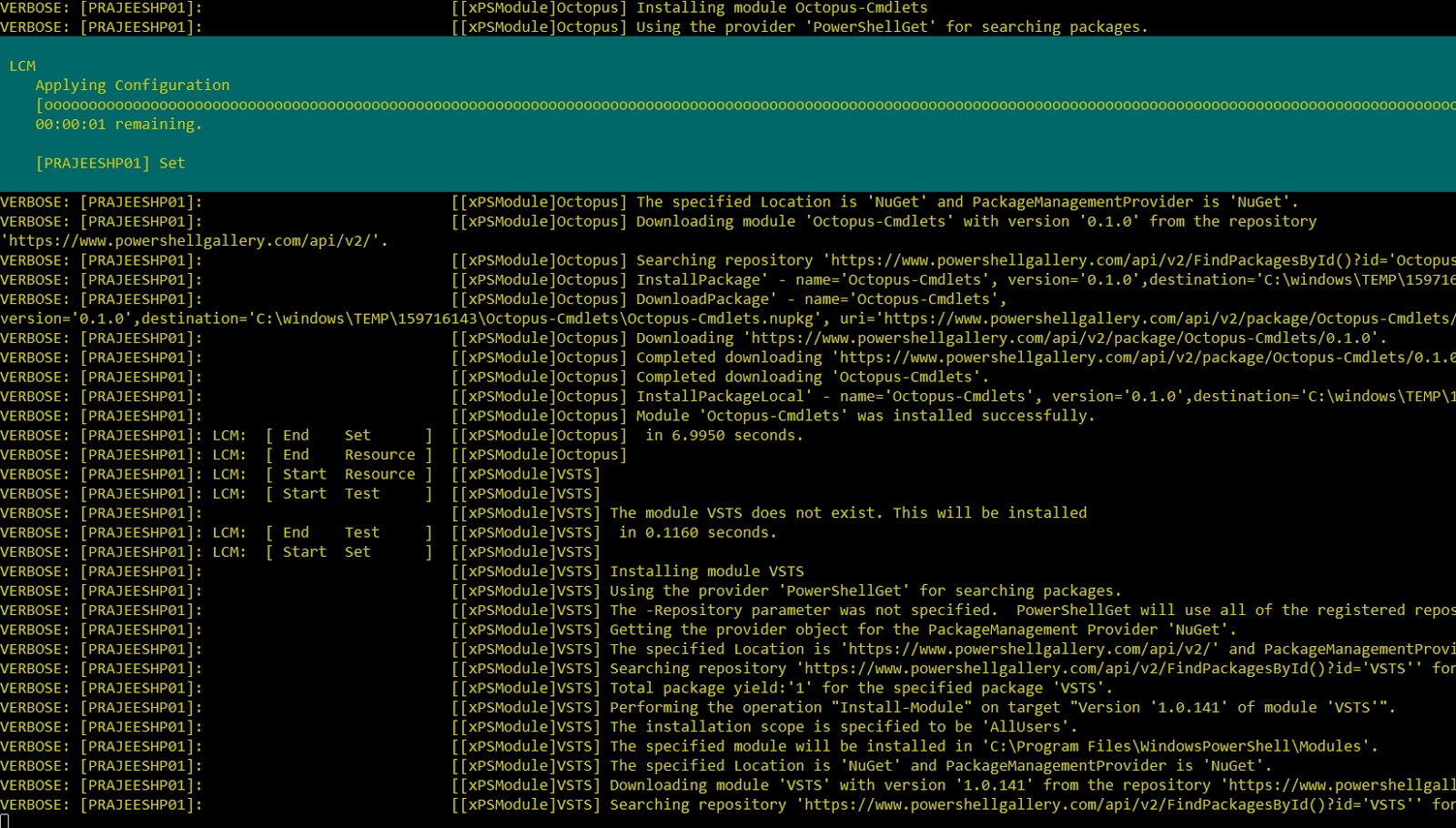
Start-DSCConfiguration .\PSModuleConfiguration -Wait -Verbose

Now we can create some tests to verify the configuration. I’ve created different folders for my unit and integration tests. In the integration test folder add a new script file and copy the contents below to the script file.

Describe "Installation of modules from PowerShellGet"{
    Context "PSModuleConfiguration is applied on the system"{
        It "Should have installed CChoco module"{
            Get-Module -Name "cChoco" -ListAvailable | Should Not BeNullOrEmpty
        }
        It "Should have installed Octopus cmdlets module"{
            Get-Module -Name "Octopus-Cmdlets" -ListAvailable | Should Not BeNullOrEmpty
        }
        It "Should have installed VSTS module"{
            Get-Module -Name "VSTS" -ListAvailable | Should Not BeNullOrEmpty
        }
    }
}

We are expecting the configuration to be applied on the node, before executing these tests. In the test, we are later asserting whether the modules that were installed as part of the configuration are available in the node. Use the Invoke-Pester command to execute the tests and verify the results.